Front desk
A front desk that's ready before the first patient
Patients check in from their phones, and the front desk reviews what they sent instead of handing out clipboards. The day's schedule, walk-ins, insurance and the scheduling inbox sit in one workstation.
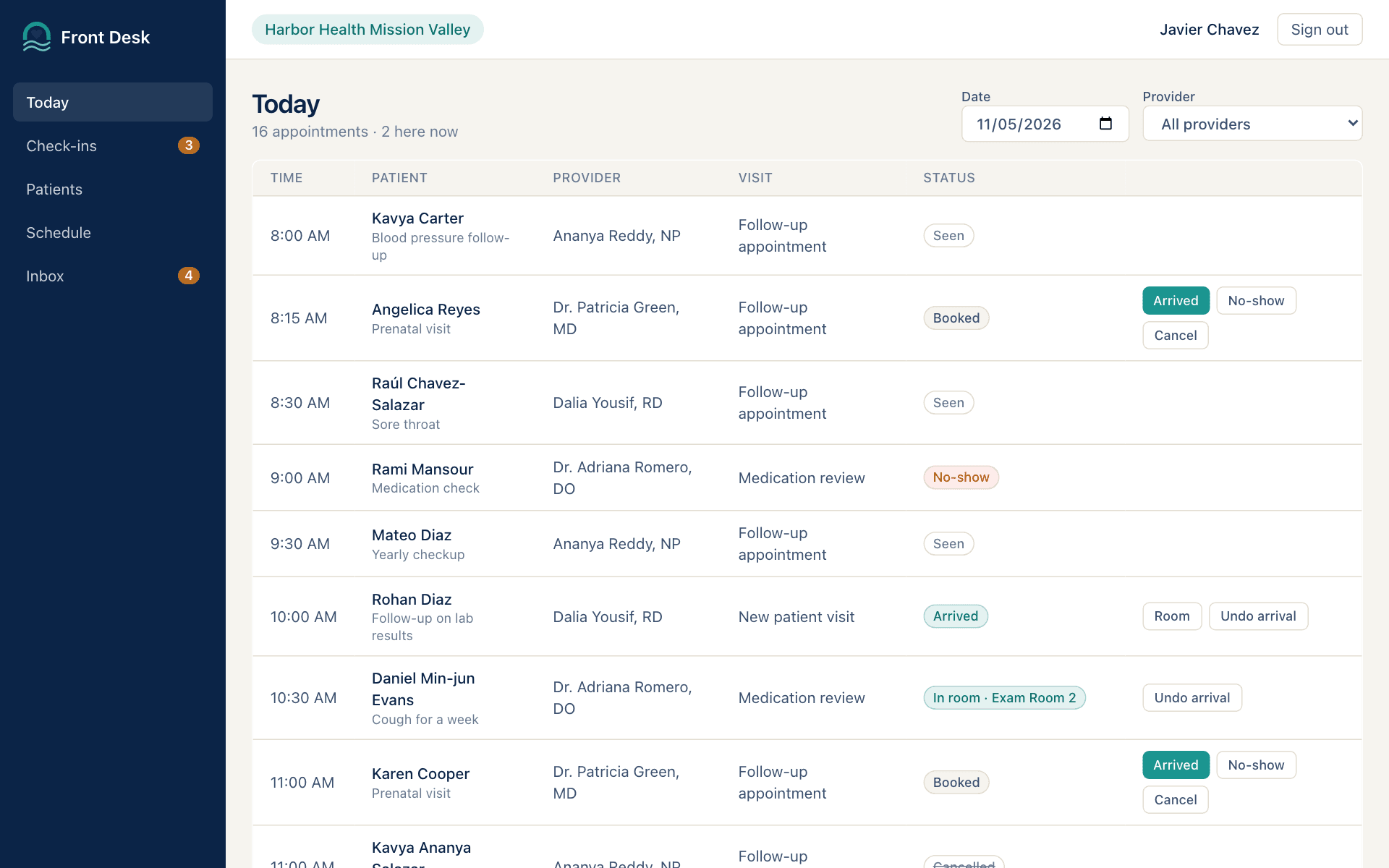
What your front desk gets
The whole day on one board
Every appointment at your clinic in time order, showing who checked in online, who's here and who's in a room.
Check-ins arrive ready to review
Anything the patient changed is called out. One click marks the check-in reviewed and the patient arrived.
Reschedule requests in one queue
Patients' requests to move a visit wait with the times they prefer. Book the new time or close the request.
Only your clinic's work
Each front desk sees its own clinic's day, plus the Scheduling and Records inboxes, not every message at the practice.
Everything the front desk needs
A workstation for each clinic's front desk, on the same Medplum record the patient portal and clinical app use.
Today's schedule
Filter by provider, mark patients arrived, roomed or no-show, and open any visit's details.
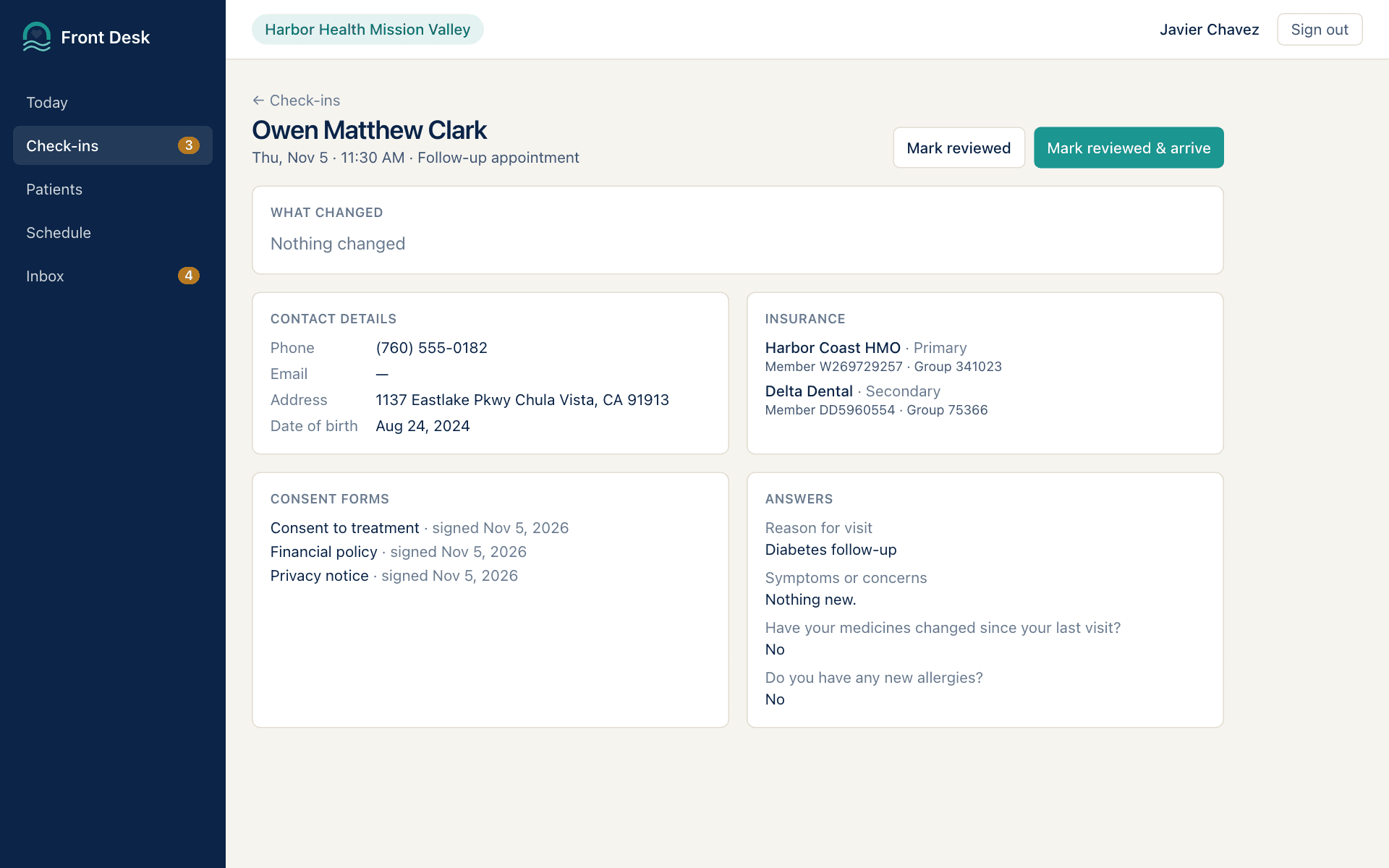
Online check-in review
Contact details, insurance, signed consent forms and the visit's answers, with what changed called out.
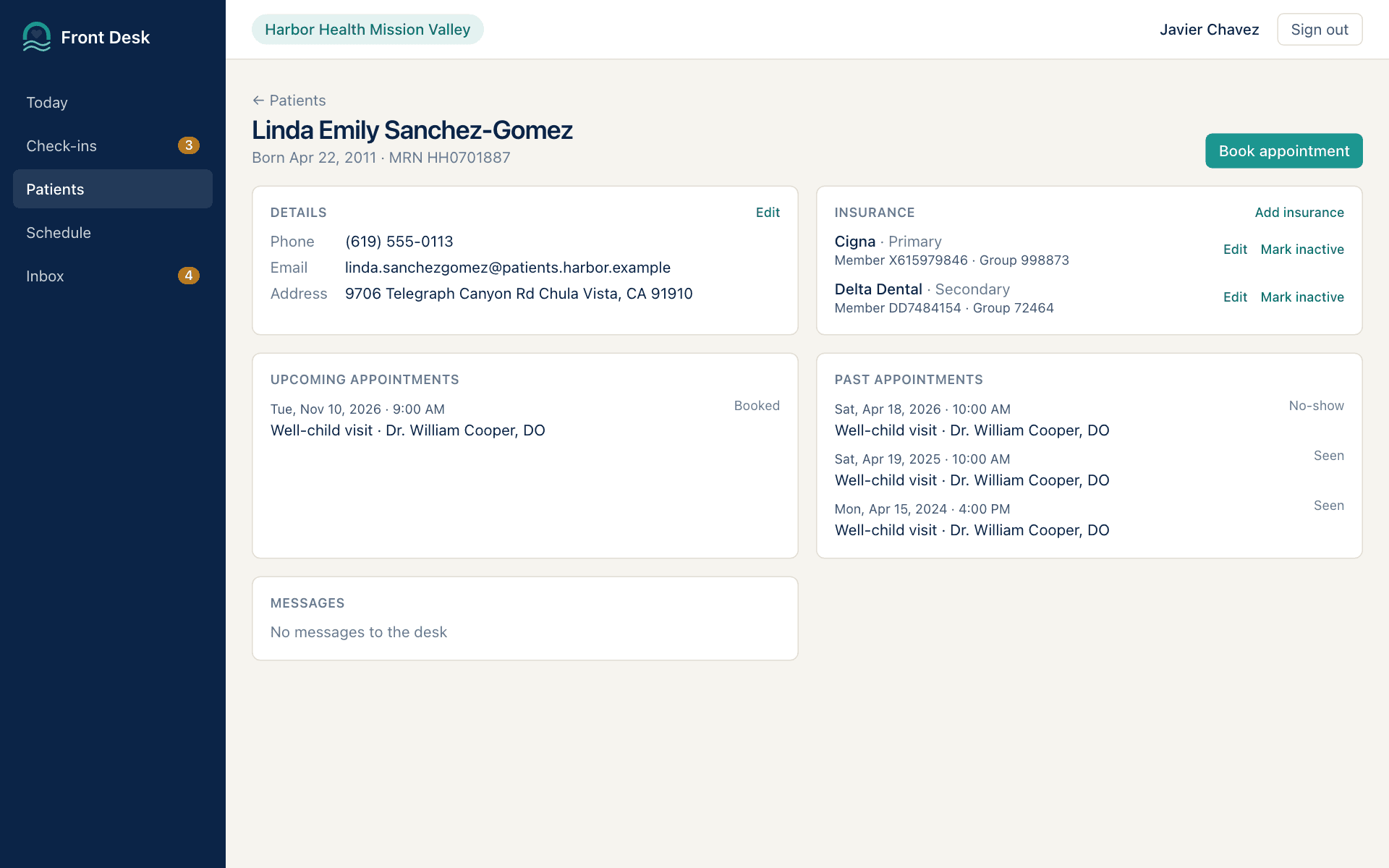
Patients and insurance
Find a patient, register a walk-in with a check for duplicates, update contact details and keep insurance current.
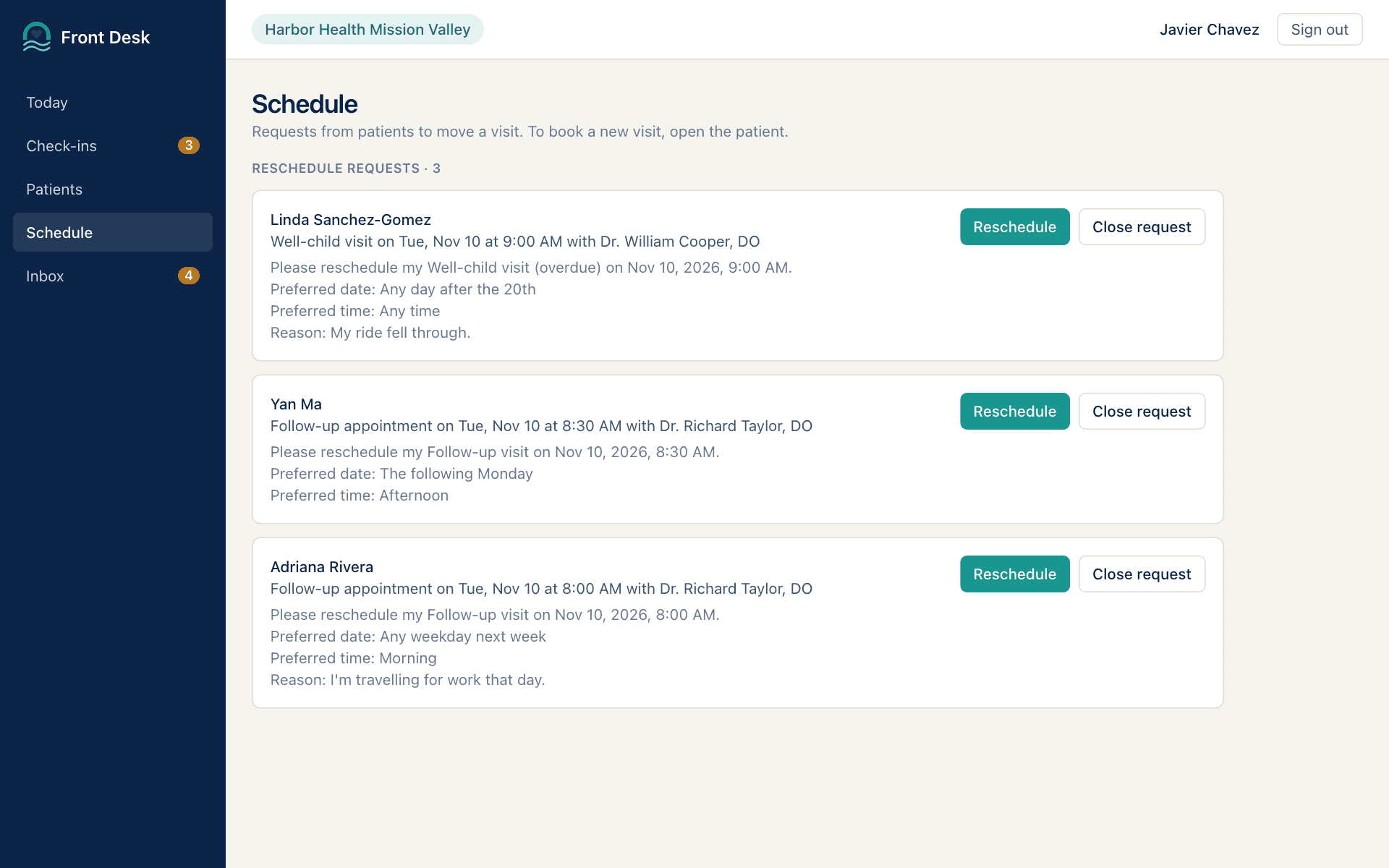
Booking and reschedule requests
Book from a provider's open times, reschedule or cancel a visit, and work patients' reschedule requests.
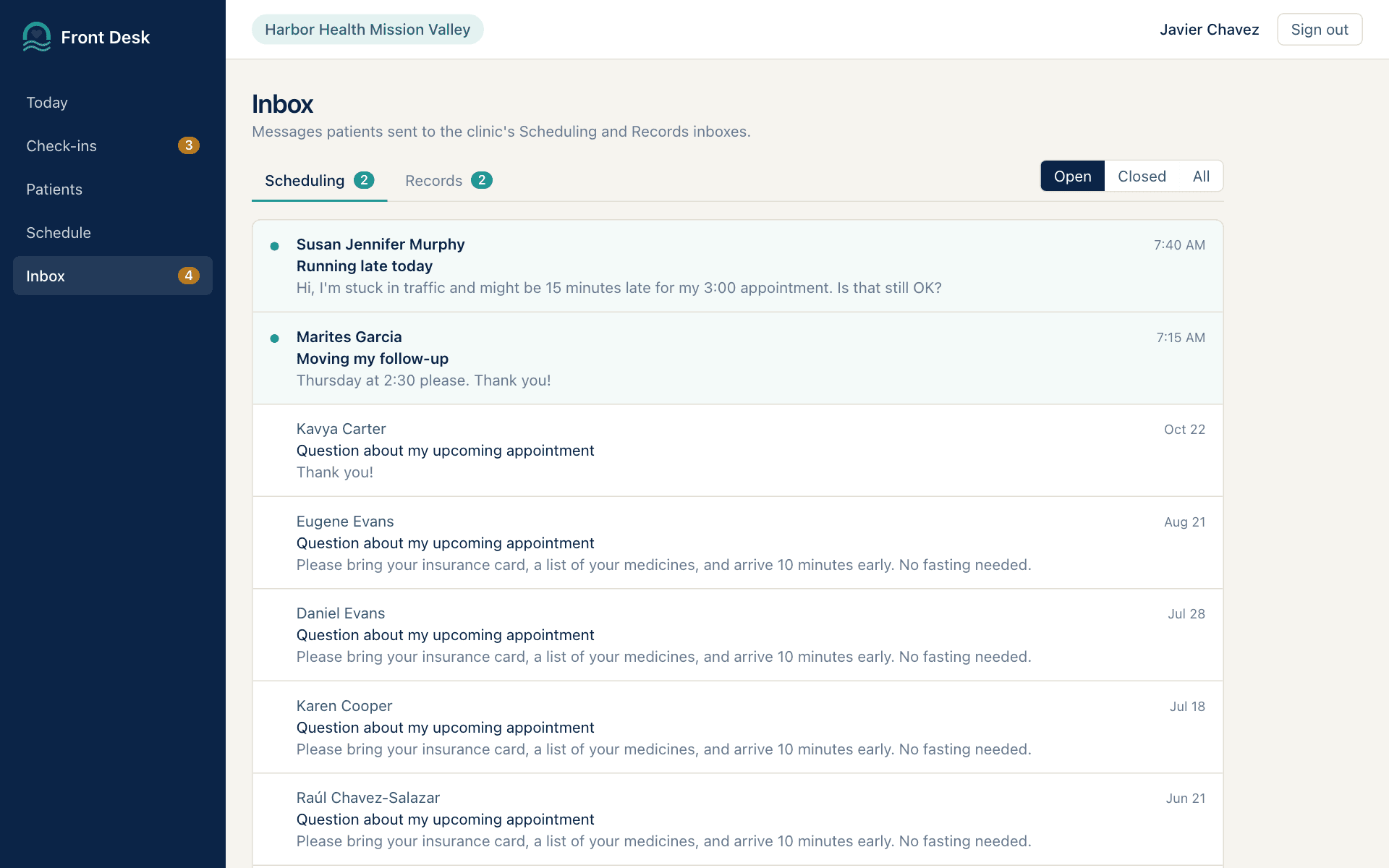
Scheduling and records inbox
Answer patients' messages to the Scheduling and Records inboxes, open attachments, and close threads when done.
Try the front desk demo
Sign in as one of these people. Their records are made up, so click anything. Every login uses the password HarborCare-2026!
| Who | Login | Try this |
|---|---|---|
| Javier ChavezFront desk at Harbor Health Mission Valley | javier.chavez@harbor.example | Review an online check-in, then mark it reviewed and the patient arrived. |
| Jian LiFront desk at Harbor Health La Jolla | jian.li@harbor.example | Work a reschedule request, then answer a message in the Scheduling inbox. |